














Check whether your account is on trial
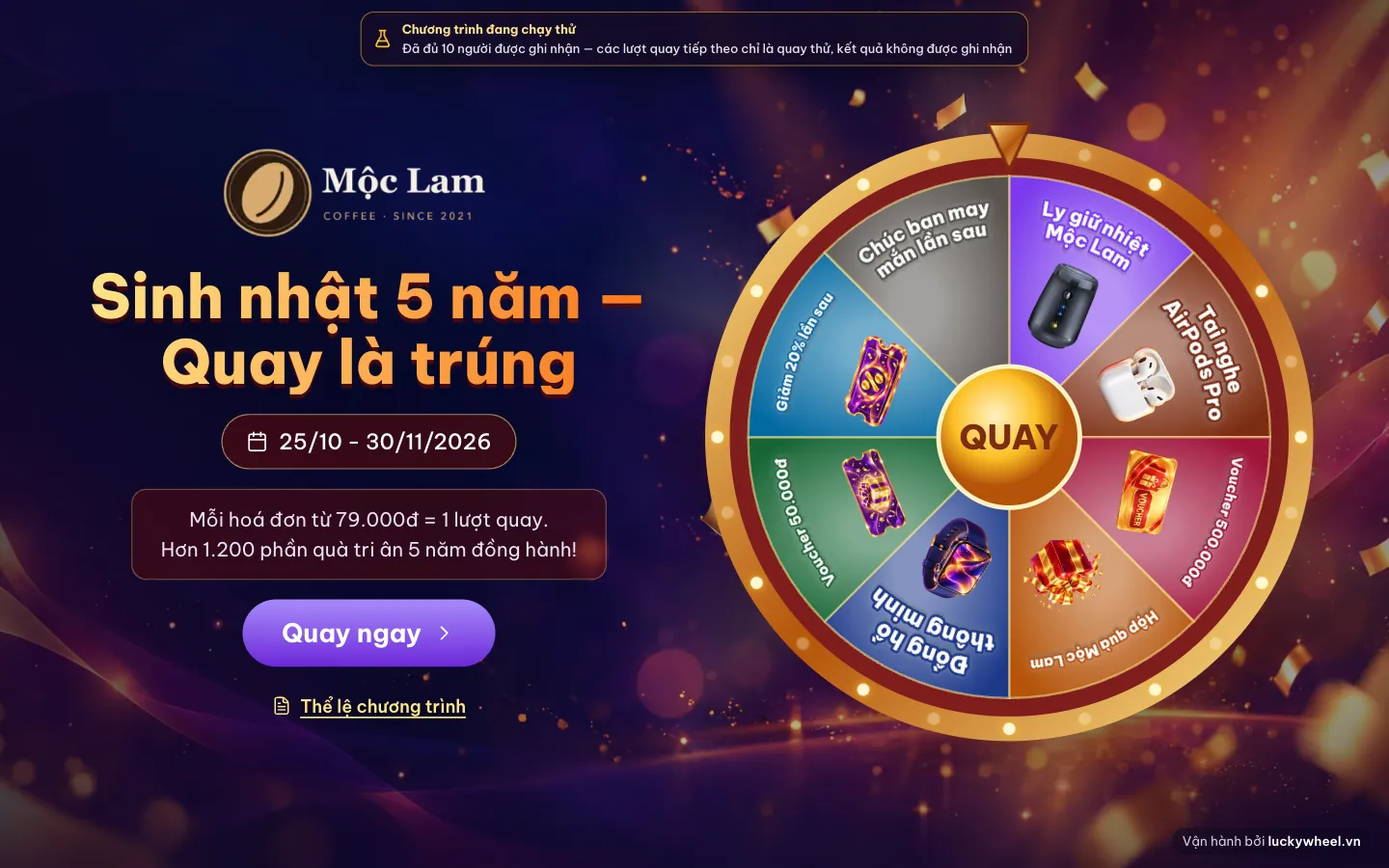
The wheel page shows a This campaign is in trial mode banner with the number of slots left. Once the 10 slots are used, customers can still spin but results are not recorded.
- 1Trial notice: how many slots are left, or that all 10 are used.
- 2Customers can still tap spin, but it is only a trial spin.
- 3The rules show as usual.
Each guest who signs up and spins uses one of the 10 recorded spots. Once 10 are used, later spins are trial spins and are not saved, so upgrade before you open the programme to real customers.
Open Plan & Billing
In the left sidebar, choose Plan & Billing. The page shows your organization's current plan and usage.
- 1Your organization's current plan.
- 2Upgrade plan.
- 3Usage: campaigns, participants, members, branches.
Choose a plan
Compare the three plans Starter, Growth / Agency and Enterprise by customers per month, campaigns running at once and members. For bigger events, choose Talk to us about Custom.
- 1Starter plan.
- 2Growth / Agency plan (most popular).
- 3Enterprise plan.
Fill in your details and choose a cycle
Check your name, turn on Issue VAT invoice if you need one, and choose a 1, 3, 6 or 12-month cycle (longer cycles get a discount). You can also add a custom wheel design or landing page service.
- 1Buyer information and VAT invoice.
- 2Bank transfer payment method.
- 3Billing cycle and add-on services.
Scan the QR and pay
Open your banking app, scan the QR code and confirm. If you transfer manually, enter the Transfer memo exactly: it is your organization code. The system detects the payment and activates your plan in seconds.
- 1Transfer QR with the amount and memo already filled in.
- 2Transfer memo: keep it as is, don't add or remove anything.
- 3Pay.
After upgrading, every new spin is recorded. Earlier trial spins are not restored, so upgrade before your campaign's start date.
Frequently asked questions
How long until my plan is activated?
If the transfer memo is correct, the system detects it within seconds. If you request a VAT invoice, the transaction is confirmed manually.
What if I entered the wrong memo?
Contact the Lucky Wheel VN team with a screenshot of the transaction to have it activated manually.
Where can I see plan prices?
See the latest prices on the Pricing page; the checkout page always shows the exact amount for the cycle you choose.
Is there a free trial?
Yes. You can create and design campaigns freely; each campaign records the first 10 participants so you can test it.